Best Website Translator Software 2023: All Website Platforms Compared


If you’ve written your website in English, it’s easy to think that your site will reach far and wide. But, even in countries where the English language is widespread, audiences still prefer to read websites in their mother tongue. While 75% of the world doesn’t speak any English, as many as 52% of all websites contain nothing but English.
With over half of Google searches conducted in languages other than English, websites only focussing on one dialect aren’t fully catering to a global market. This is why translating your website into different languages and localizing for different cultures has to be a cornerstone of your site’s strategy.
If you’re unsure how to go about this, don’t worry. Website translator software is available across various website platforms, which makes localization easy. One such example is Weglot. In our opinion, it’s the best website translator software on the market.
So, in this article, we’ll explore Weglot in more detail. Let’s dive in!
Website Translation Matters
Before we jump feet first into comparing the best website translator software, let’s quickly review why website translation matters.
There’s a reason why some of the largest corporations on the market make translation a priority: it’s profitable. Consumers are 73% more likely to purchase something on a website in their native language. Microsoft, for example, has translated its products into over 90 languages, Toshiba into over 30, and Apple into 40.
In the long run, not only will translating your website boost sales rates, but it’ll also enhance your SEO. As we’ve just said, more than half of Google searches are non-English, so how are you supposed to outrank international competitors if you’re not creating content in your target audience’s native language?
The answer: You can’t. That’s why an easy-to-use solution, like Weglot, is crucial to localizing your site to reach a wider audience and to enhance multilingual SEO.
Not only that, but your non-English speaking visitors are more likely to engage with your website when they’re reading web content in their mother tongue. Over 56% of consumers said that the ability to obtain information in their own language is more important than price. While most modern browsers include the functionality to integrate with common online translators, native speakers will feel much more at ease knowing that a website has been originally served to them in their own language, rather than having to translate text from a foreign language manually using their own translation apps.
Take Ron Dorff as an example. The Swedish and French apparel merchant uses Weglot to translate over 150 products into three new languages, and since using the solution, the site has increased traffic by over 400% in their first year of using Weglot alone. If Ron Dorff got these results, there’s no reason why you can’t enjoy similar results too!

Weglot – The Best Website Translator Software
Weglot is a handy translation tool that makes it easy to transform your site into a multilingual website. Weglot’s powerful translation management system enables you to translate your website into over 100 languages.
Weglot’s translation process offers machine translation, but you can also collaborate with human translation professionals to fine-tune your website copy. Weglot’s machine translation provides automatic, fast text translation, using DeepL, Google Translate, and other reputable translation software to ensure accurate interpretation.
Check out how to use Google Translate on your website here:
You can edit this first layer of automatic translation in context, i.e., from the front end of your website. You can also preview the appearance of the translated versions of your site. This takes the guesswork out of editing strings of copy to fit your web design, as you can double-check whether a formulation compliments your website’s structure and make adjustments accordingly.
But what makes Weglot stand out amongst its competitors is its hybrid approach. Weglot adopts the perfect mix of machine translations while providing access to qualified professional translators. If you want to translate specific sections of your website yourself, never fear; that’s totally doable. Alternatively, you can invite team members and/or your own trusted translators to collaborate with you inside of Weglot. In essence, how you go about translating your website with Weglot is very flexible – it’s entirely up to you.
For all those reasons, Weglot is the best website translator software for WordPress, Shopify, Squarespace, and many more.
Weglot Integrates Seamlessly with These Website Platforms
Weglot integrates with all major content management systems (CMS) and eCommerce platforms, including:
- Shopify: Weglot has been compatible with this eCommerce giant for years. Weglot enables you to customize and manage translations across your entire Shopify store, including content you created using other Shopify apps! This is what makes Weglot an all-encompassing translation service for your online shop.
- WordPress: Weglot combined with WordPress is a tried and tested favorite. Within seconds, Weglot can translate your entire site automatically and in real-time. You’ll also get access to an intuitive dashboard where you can customize your translations. So, although Weglot does most of the legwork, you remain in control every step of the way. These are just a few of the many reasons why over 30,000 WordPress websites trust this website translator software and award it 4.9 out of 5 stars!
- Squarespace: Squarespace has its own workaround translation solution that can work for localizing small websites. But for larger sites and eCommerce stores, Weglot offers a more streamlined solution. Weglot takes the hassle out of Squarespace’s in-built multiple language pages and displays your content so it’s more accessible to the reader.
- BigCommerce: BigCommerce doesn’t offer a native multilingual feature, but there are several workarounds you can use, such as Google Translate scripts. However, these round-about solutions rarely achieve consistent results. With Weglot, on the other hand, you can create a clean, crisp, multilingual store, using specific subdomains for each language. This ensures your store is well-indexed on search engines all around the globe.
In addition to the above, Weglot also integrates with other popular website platforms and custom-built websites too. You can see the full list here.
Weglot is quick to install. You can have this website translator software up and running within less than five minutes. It automatically detects all of your website content ready for translation.
Optimize Your Website for SEO and Benefit From Laser Targeted Traffic
Weglot makes it easy to optimize your site’s SEO to accommodate a global market, as your translated pages are indexed following Google’s best SEO practices. So as with your English pages, Google’s crawlers note the title, metadata, tags, content, etc., used in your translated pages. These are just some of the factors Google considers when ranking your website.
You’ll also be pleased to hear that Weglot automatically shows visitors your website in their native language – based on their browser settings (although this can be switched off, if you prefer). The whole customer journey can be localized; from the landing page to email purchase confirmation, users can interact with you in their language every step of the way.
Install Weglot onto Your WordPress Website
Now we’ve explained why Weglot’s the best website translator software, here’s how you can install it onto your website. For this review’s purposes, we’re just explaining how to install Weglot step-by-step with WordPress, as it’s the most popular CMS on the market. But if you’re using any of the website platforms listed above, don’t worry; the installation process is equally as user-friendly.
After you’ve logged into your WordPress dashboard, head to the WordPress plugin directory, find Weglot in the search bar, and install it.

Click activate.

Now, enter the API key provided by Weglot (to find this, you’ll need to log into your Weglot account).
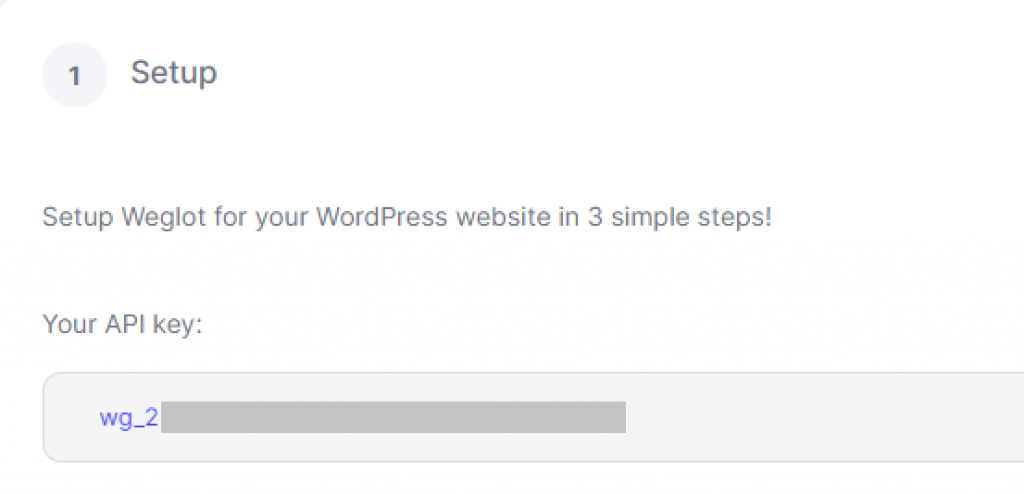
Now, enter the destination language (also known as your target language). If you’re just trialing Weglot to test it out, you only get access to one language, for one site, where you can translate up to 2000 words. If you want more than that, you can upgrade your plan from your Weglot dashboard.
Rather than relying on a single machine translation solution, Weglot matches your chosen language pair with the best available service for the job – including Google Translate, Bing, and Yandex Translate. So whether you’re translating between Dutch and German, Italian and Arabic, or Russian and Portuguese, you can be certain that your first layer of machine-translated text will always be the highest-quality translation available.

Choose how your language buttons will appear on your website. You can customize these options and decide whether you want them with or without flags. The translation button can be readily displayed on your website’s menu, so customers can easily switch between languages. Alternatively, you can post your language translation options in your sidebar, or in the bottom right-hand corner of your website. Save your changes and proceed.
You can now view the language buttons on your website. Hit the menu to show which languages you can translate your website into. Weglot will translate your site within seconds, including content controlled by your widgets. If you want to make translation corrections, navigate to the Weglot dashboard.
As you can see in the example screenshot below, visitors can toggle between English and Spanish using the menu in the bottom right corner.

View each string and edit your translations. You can override Weglot’s automatic translations and save your edits. Weglot displays all text on your website, organized by languages and web pages. You can also view your translated images and meta tags. From here, you can also invite collaborators to work from your Weglot dashboard to update and optimize translations.

So, there’s your rundown on how to install and use website translator software on WordPress.
Integrate the Best Website Translator Software Today
No matter what website platform you’re using, or the language pairs you need to translate, Weglot is a translation solution that’s easy to install and work with. Within minutes, this website translator software will translate your website and/or e-store to reach audiences worldwide.
With its unique mix of the authority of professional translation and the speed and reliability of machine translation, all simple to manage through your Weglot dashboard, you’re sure to provide a high-quality localization service and enhance your customer experience with Weglot’s online translation platform.
Try Weglot for free for 10 days and open your website to the world!

Time to open your website to the world
Get started for free and have a multilingual website up and running in minutes.

Ready to display your website in multiple languages?
Install Weglot on your website in minutes and manage your translations easily.

Share on